
Overview
Interactive 3D · RUHL TecDesign
Virtual Showroom
From inspecting a rooftop to understanding how its system works.
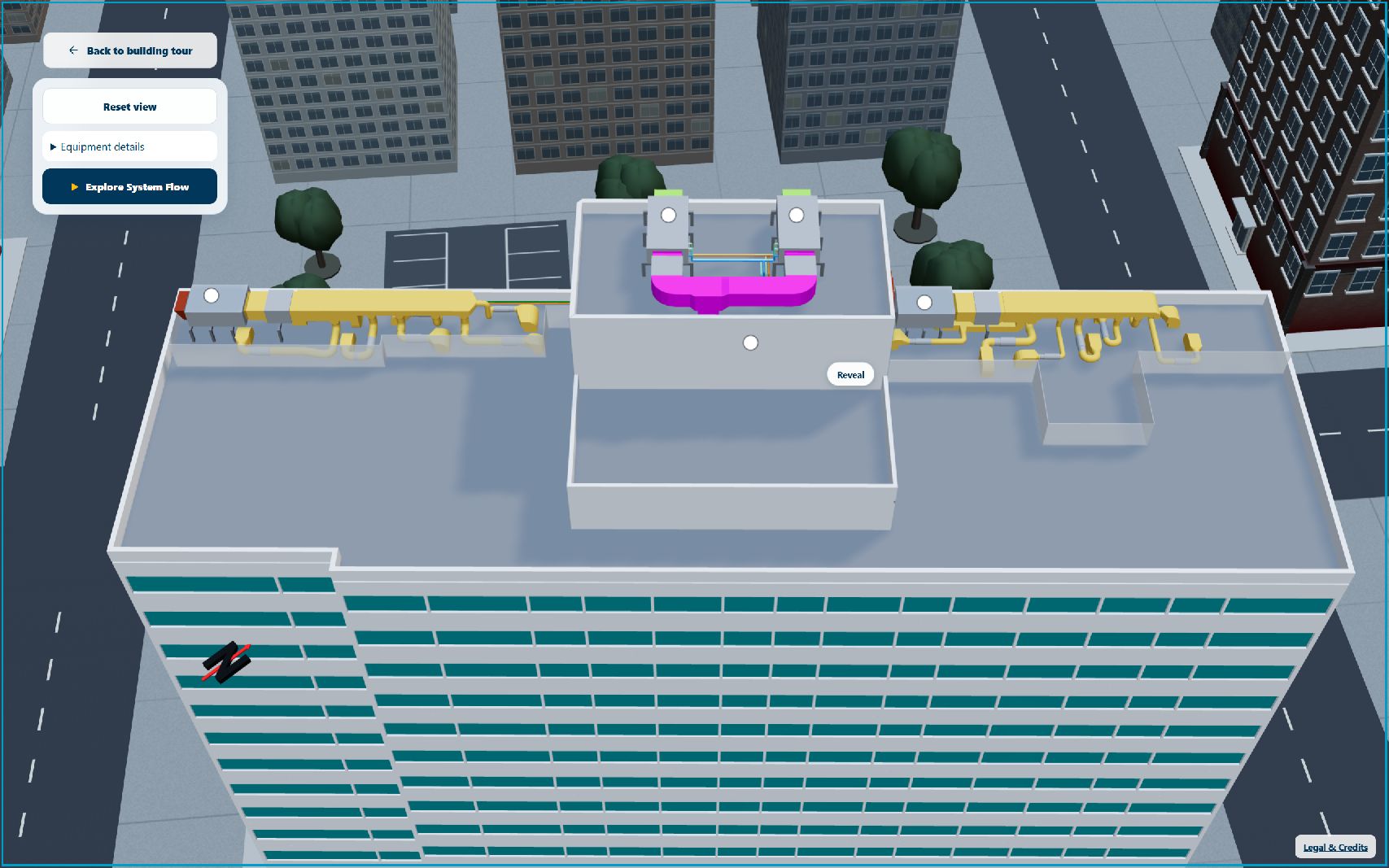
In the building journey, choose “Explore rooftop systems.”
- My role
- UX/UI, 3D interaction & frontend development
- Tools
- Three.js, HTML/CSS/JavaScript, Chrome DevTools, axe & Codex
- Collaboration
- RUHL engineering review of system logic and claims; existing building/rooftop models by RUHL employees.
- AI Involvement
- Codex assisted iterative implementation. I directed the experience and evaluated its visuals, interaction and technical behavior.
My contribution
I shaped the six-step narrative, camera choreography, equipment callouts and responsive controls, then developed the showroom and carried out performance, accessibility and release QA.
Problem
The roof was visible. The system was still hard to follow.
The original rooftop viewer offered rotation, reset and labels. Viewers still had to infer how ducts, equipment and energy recovery connected.
- Earlier rooftop viewerInspect individual parts
A roof-only overlay extended the building tour.
- Design shiftExplain the relationships
Give each step a route, camera focus and purpose.
- Current showroomExplore or follow a story
Free navigation plus a guided six-step System Flow.
- Dense geometry
- Guide attention without losing the rooftop’s spatial context.
- Invisible behavior
- Show airflow and energy transfer without implying that air streams mix.
- Limited space & resources
- Keep the model visible on small screens and usable within browser limits.
These priorities came from implementation reviews, responsive iterations and technical QA. User comprehension was not measured.
Decisions
Guide attention, then protect the experience.
First establish a path through the system. Then make each view understandable, adaptable and economical to render.
01/04Navigation & narrative
One step, one camera focus, one idea.
I organized the system into six steps and paired each with a focused camera view. Viewers can explore freely, reset their view, or use Previous/Next, Pause and Restart to control the guided story.
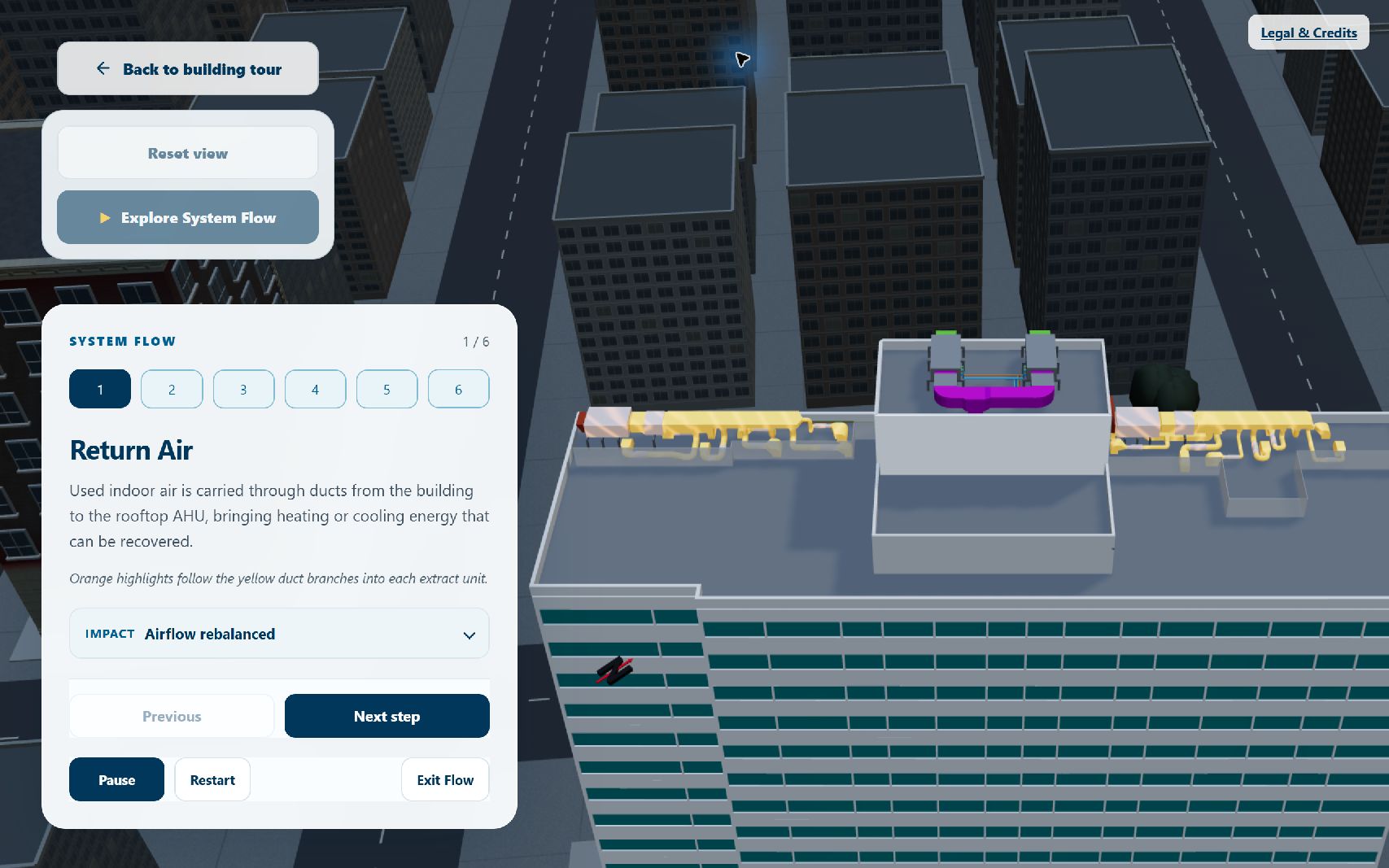
Why this order Return Air establishes origin, route and destination before recovery. Separating recovery from heat-pump conditioning makes their different roles explicit. Camera framing follows the active system; city geometry is excluded from camera-fit calculations.
02/04Focus & engineering clarity
Reveal the connection without hiding the roof.
I emphasized active equipment, kept related parts readable and subdued the city. Only obstructing walls become translucent. Small image-and-name callouts identify equipment without adding another large panel.
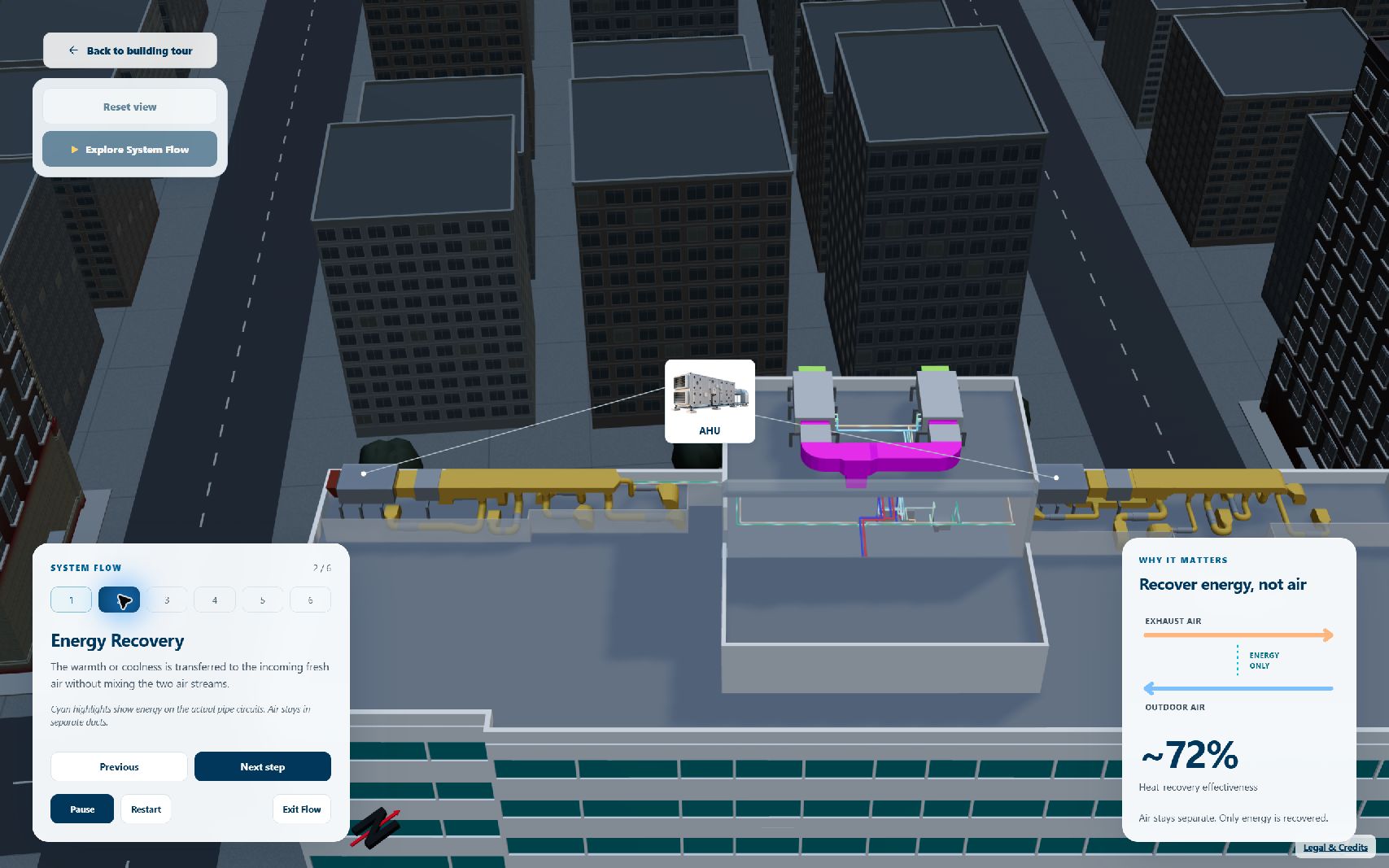
Locate
Camera and highlights show where the step happens; callouts stay clear of the active route.
Explain
Paths, pooled vapor sprites and sparse particles show direction. Blue/cyan incoming air and amber exhaust retain text explanations.
Verify
Equipment mappings and claims follow project configuration and RUHL review. The animation explains the system; it is not CFD.
Outgoing indoor air Exhaust
Fresh outdoor air Supply
03/04Responsive & accessible interaction
Make room for the model, at every screen size.
Large floating controls covered the roof on mobile. I moved exploration and System Flow into one bottom sheet, kept Previous/Next primary, and placed secondary impact details and Legal & Credits within that pattern.
Earlier mobile
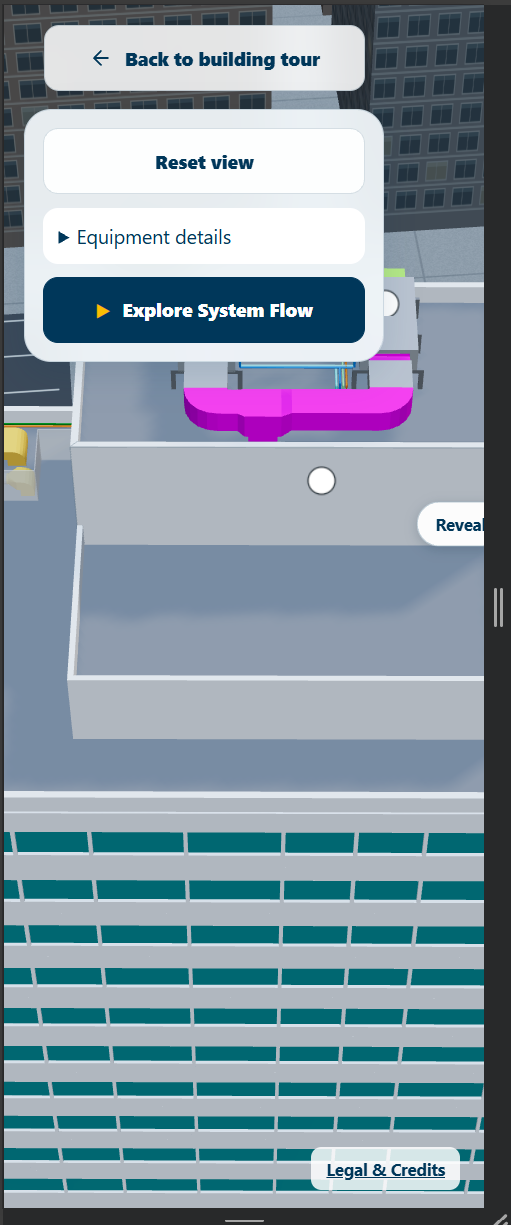
Current mobile
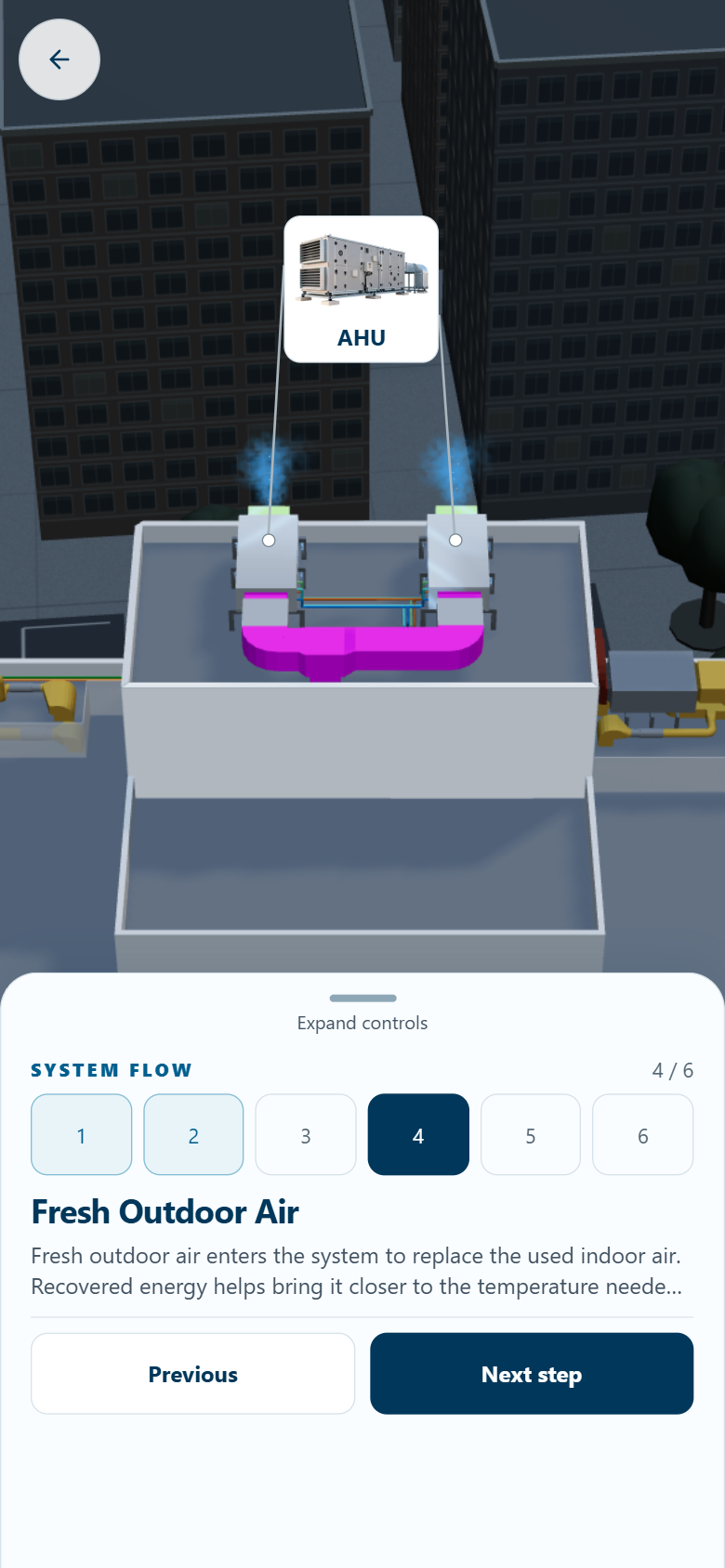
Reframe, rather than shrink
Tablet uses the same sheet with its own camera framing; desktop retains floating controls. View the tablet iteration.
Make spatial controls operable
An audit found the canvas lacked a keyboard equivalent. I added rotation, zoom and reset controls, plus reduced motion, semantic dialogs and focus restoration.
04/04Performance & implementation
Optimize the city before sacrificing the story.
An observed ~1 GB Chrome tab-memory spike prompted profiling. City textures dominated the estimated footprint; repeated flow navigation showed stable resources. I targeted context assets while preserving the rooftop, camera sequence and flow effects.
Estimated decoded city texture footprint
Share and resize
19 prepared PNG derivatives, configuration-aware texture sharing and reference-counted disposal retain city geometry and recognizable materials.
Load by priority
Rooftop model and HDR load together. Controls and flow become usable before the optional city; city failure leaves the experience operable.
Control rendering
A 1.5 DPR cap limits render cost. Hidden tabs pause rendering; lifecycle guards prevent late loads from attaching after exit.
Verification Three complete post-optimization flow cycles recorded stable renderer counts: 87 geometries, 37 textures and 29 programs. The 1.5 cap draws 43.75% fewer pixels on DPR-2 devices by calculation; FPS and total tab-memory savings were not measured.
Impact
Built, integrated and checked for real use.
The deliverable combines free 3D exploration, a six-step walkthrough, equipment identification and responsive controls. Recorded QA establishes technical behavior; user comprehension remains to be tested.
- 16 states
- Automated axe scans with zero violations in the final pre-launch report.
- 3 cycles
- Keyboard-only walkthroughs passed, including pause, restart, exit and re-entry.
- 200%
- Actual browser-zoom check passed; separate 390-pixel flow completion also passed.
Delivered & integrated
The existing rooftop CTA opens the isolated showroom. Assets load on entry; return restores scroll and focus. Integration QA recorded one canvas, no obsolete rooftop requests and no page exceptions.
Technical & release evidence
The production build used self-hosted modules and excluded internal files. Its local Cloudflare audit recorded zero third-party runtime hosts, cookies or browser storage. Licensing work retained Three.js notices and documented CC0 city and environment assets.
These results describe the audited pre-launch build. The public experience is linked below; its deployment has not been re-audited here.
What remains to validate
Comprehension and engagement were not measured. A real NVDA/VoiceOver check remained recommended. Engineering values in the showroom describe the ventilation intervention, not an outcome caused by the interface.
What I learned
Clarity depends on narrative, camera framing and browser behavior working together. Next, I would test whether non-engineers can explain energy recovery without air mixing and distinguish the heat pump’s role.